Searching for a Provider
Overview - The Search for Provider function allows a user to locate a provider participating in the Medicaid program. Most likely, the user will be a Medicaid recipient who is either searching for providers of a particular type or attempting to locate the office of a single provider. The recipient may use various search criteria to refine his/her search for a provider.
Home Page - Search for Provider: Web Page Image
Figure 200: Home Page - Search for Provider Web Page Image
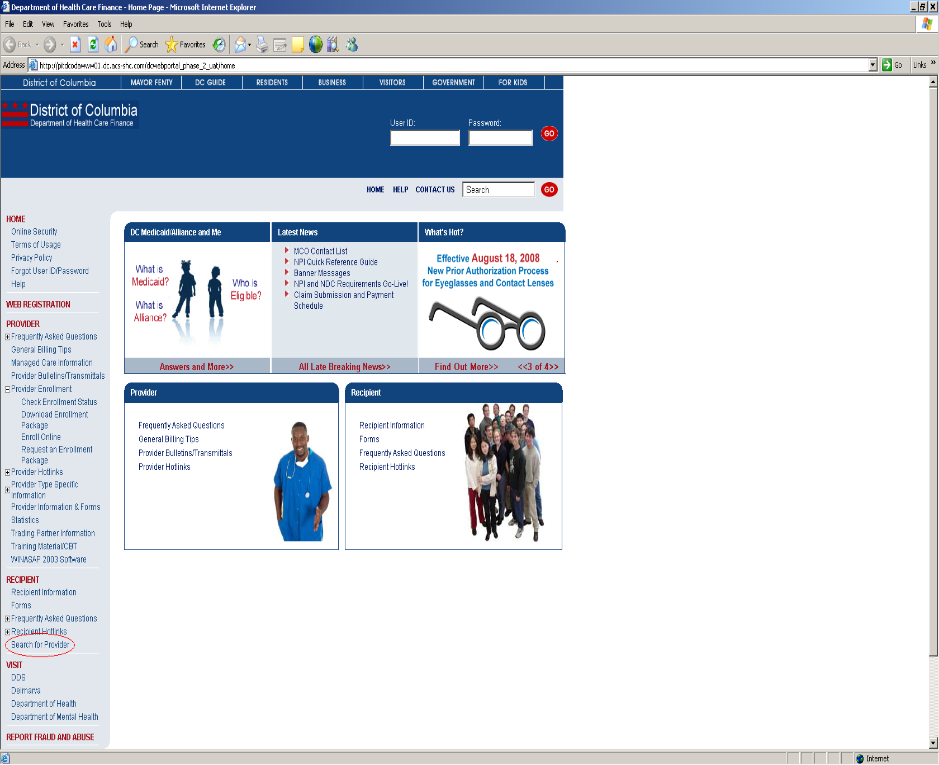
Searching for a Provider: Web Page Details
- On the left side of the Home Page in the navigation bar, the recipient should click Search for a Provider located in the Recipient area.
- The Provider Search web page will be displayed.
Figure 201: Provider Search Web Page Image
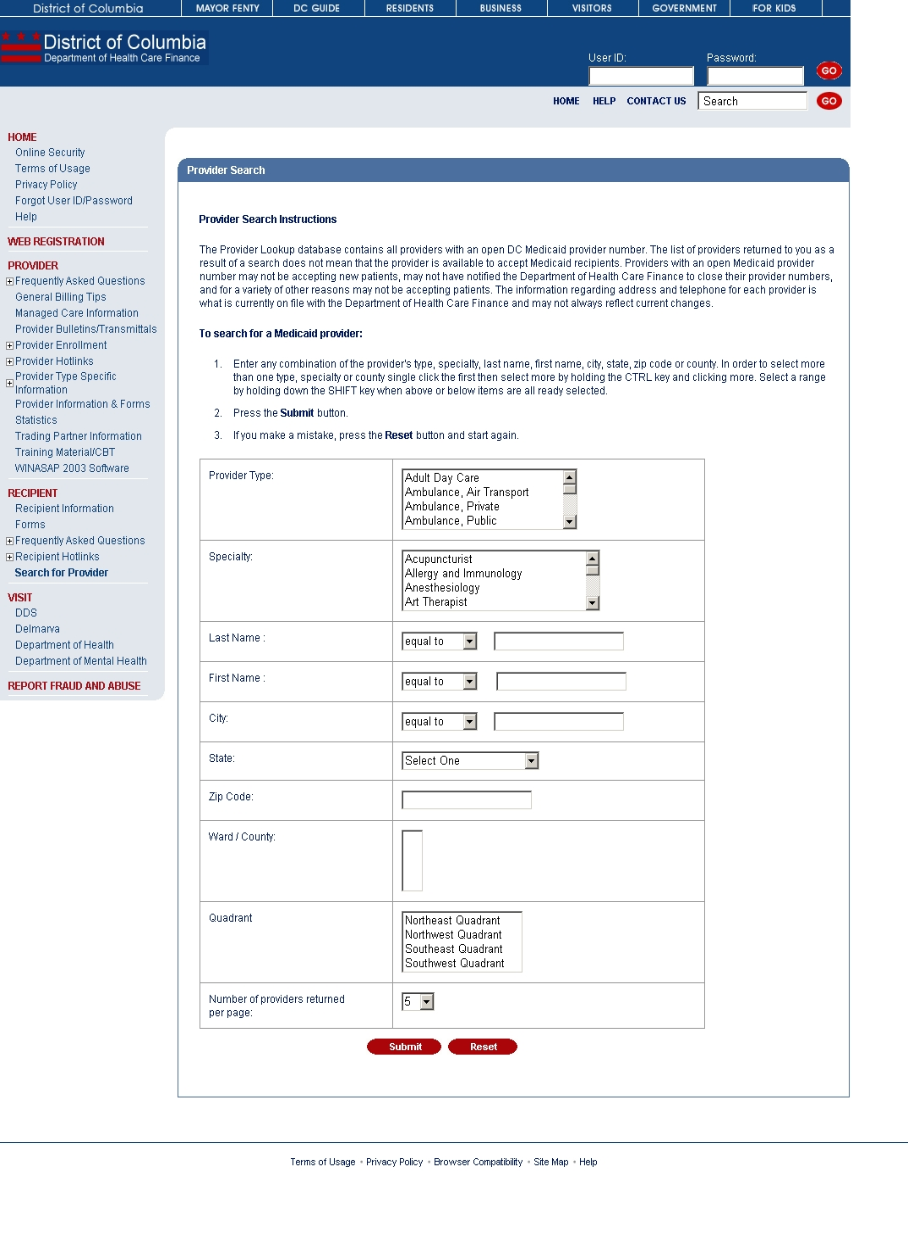
- The recipient should read and follow all the instructions on the web page.
- The recipient must select or enter at least one field before clicking Submit.
- The recipient may click Reset at any time to clear all fields on the form.
- Once the recipient has entered information and clicks Submit, the Provider Search Results web page is displayed, giving the recipient those providers that match his/her search criteria or displaying a message that indicates no results matched the search criteria.
Figure 202: Provider Search Results Web Page Image
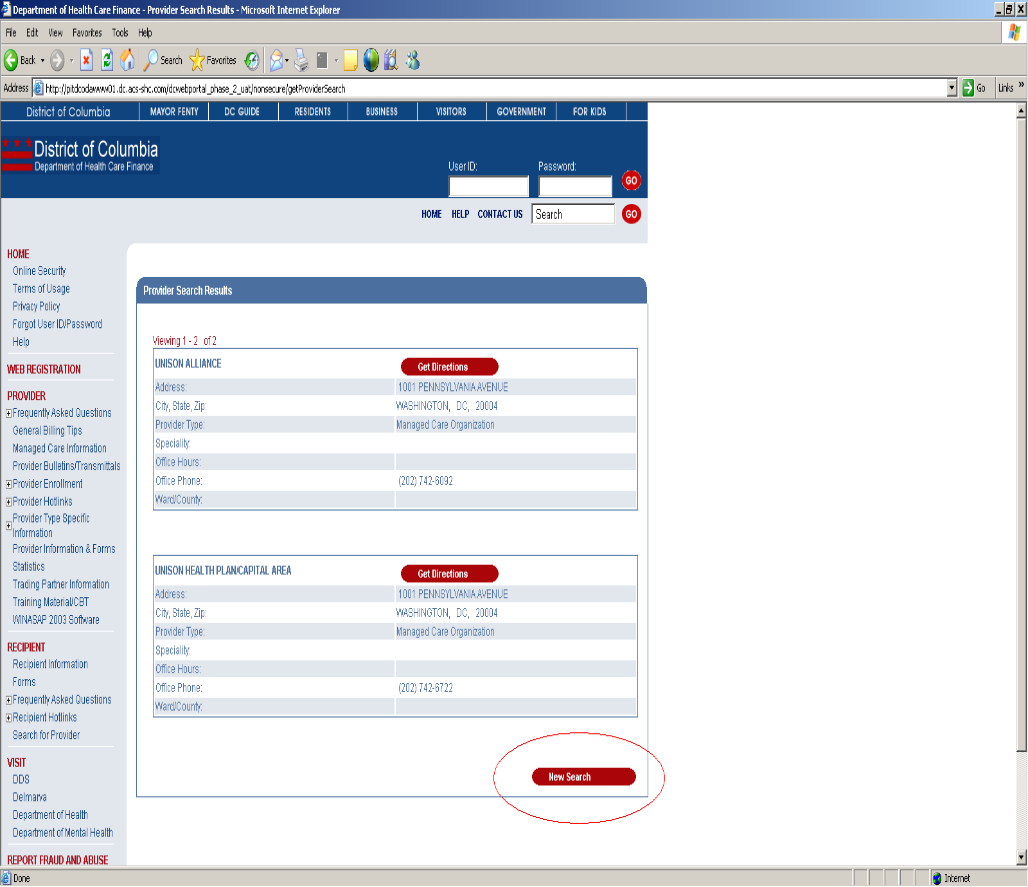
- The recipient may click Get Directions to obtain a map of the provider’s location. In the new window, the provider may click Get Directions in the upper left corner to enter the starting address.
- The recipient may also click New Search to reset the search criteria page and begin a new search.